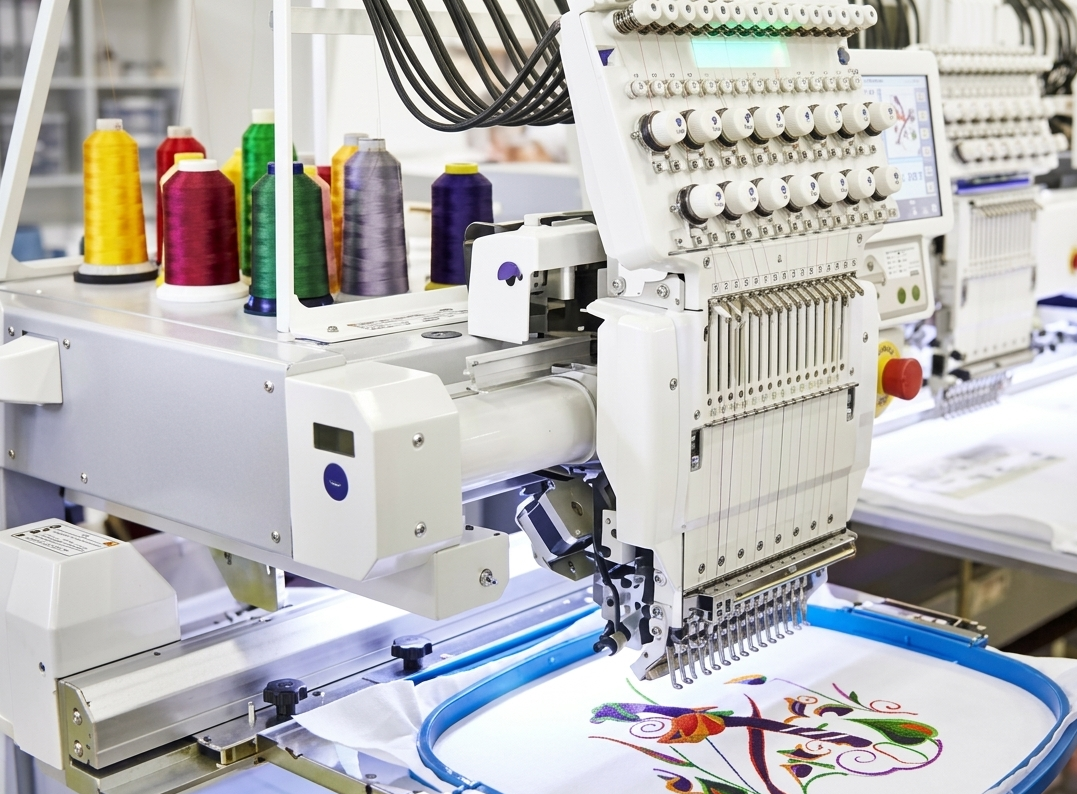

Embroidery has moved far beyond manual stitching. With the rise of digital tools, creating detailed, professional embroidery patterns has become faster and more precise. One of the most popular tools in this space is PES design software, widely used by hobbyists and professionals to design, edit, and manage embroidery files.
This guide explores everything you need to know—from features and benefits to pros, cons, and whether a PES design software free option is worth considering.
What is PES Design Software?
PES design software is a specialized embroidery program that allows users to create and edit designs in PES file format, commonly used by Brother embroidery machines. It helps convert images into stitch patterns, customize designs, and prepare them for embroidery machines with precision.
Whether you run a small embroidery business or enjoy crafting at home, this software provides the tools needed to bring creative ideas to life.
Key Features of PES Design Software
A strong embroidery program offers a wide range of features to simplify the design process:
- Design Creation Tools – Draw custom patterns from scratch
- Image Conversion – Convert images into stitch-ready designs
- Advanced Editing – Resize, rotate, and modify designs easily
- Lettering Options – Add text with various fonts and styles
- Stitch Simulation – Preview how the final embroidery will look
- File Compatibility – Support for PES and other embroidery formats
These features make PES design software suitable for both beginners and experienced users.
Types of PES Design Software
You can choose from multiple options based on your requirements and price range.
| Type | Best For | Features Level | Cost Range |
| Basic Software | Beginners | Limited | Low |
| Standard Software | Hobbyists | Moderate | Medium |
| Advanced / Full Systems | Professionals & Businesses | High | High |
| PES Design Software Free | Trial Users | Basic | Free |
Benefits of Using PES Design Software
Using a reliable embroidery tool can significantly improve your workflow and results.
1. Precision and Accuracy
The software ensures every stitch is placed correctly, reducing errors and material waste.
2. Time Efficiency
Tasks that once took hours can now be completed in minutes with automation tools.
3. Creative Flexibility
Users can experiment with designs, colors, and patterns without limitations.
4. Professional Results
Even beginners can produce high-quality embroidery designs with the right tools.

Pros and Cons of PES Design Software
Pros
- Easy to create and edit embroidery designs
- Supports professional-level customization
- Saves time with automated features
- Compatible with many embroidery machines
Cons
- Advanced versions can be expensive
- Learning curve for beginners
- Free versions often have limited features
Is PES Design Software Free Worth It?
Many users start with PES design software free versions to understand the basics. These tools are helpful for beginners but come with limitations such as:
- Restricted design features
- Limited file export options
- Watermarks or trial restrictions
For serious users or businesses, upgrading to a full version provides better control, efficiency, and professional output.
Who Should Use PES Design Software?
This software is ideal for:
- Embroidery business owners
- Fashion designers
- Hobbyists and DIY creators
- Tailors and textile professionals
If your work involves embroidery, investing in a reliable PES design solution can improve both quality and productivity.
Tips for Choosing the Right PES Design Software
What works best for you is guided by your goals and how confident you are using it.
- Beginners should start with simple or free versions
- Intermediate users can opt for standard software with more features
- Professionals should invest in advanced systems for full control
Also, consider ease of use, compatibility with your machine, and available design tools.
FAQs
1. What is PES file format?
PES is a file format used by embroidery machines, especially Brother machines, to read and stitch designs.
2. Can I use PES design software for free?
Yes, there are free versions available, but they often have limited features compared to paid software.
3.Do beginners find PES embroidery software simple to use?
Yes, many programs offer beginner-friendly tools and tutorials to help new users get started.
4. Can I convert images into embroidery designs?
Yes, most PES design software includes image conversion tools to create stitch patterns from images.
5. Do I need advanced software for a small business?
If you want professional-quality output and efficiency, advanced software is recommended.
6. What machines support PES files?
Many embroidery machines, especially Brother models, support PES file format.
7. How long does it take to learn PES design software?
Basic functions can be learned quickly, but mastering advanced features may take time.
8. Is upgrading from free software necessary?
Yes, if you need more features, better control, and professional results.
Conclusion
PES design software has transformed the embroidery industry by making design creation faster, more accurate, and highly customizable. While free versions are useful for beginners, serious users benefit greatly from advanced systems that offer complete control and professional results. Choosing the right software depends on your needs, but one thing is clear—having the right tool can take your embroidery work to the next level.